Example · Agencies and 3D studios
Deliver an experience your client knows how to open.
The job does not end with the last render. Turn a finished scene into a presentation people can access, with a clear link and an agreed owner for future updates.
Handoff package · Preparation preview
From the Studio to the client presentation
Two recipients with different jobs to do
Your agency has finished a visualisation. The commissioning team wants to inspect the result; its website team needs to embed it. Sending the same source folder to everyone does not address both tasks.
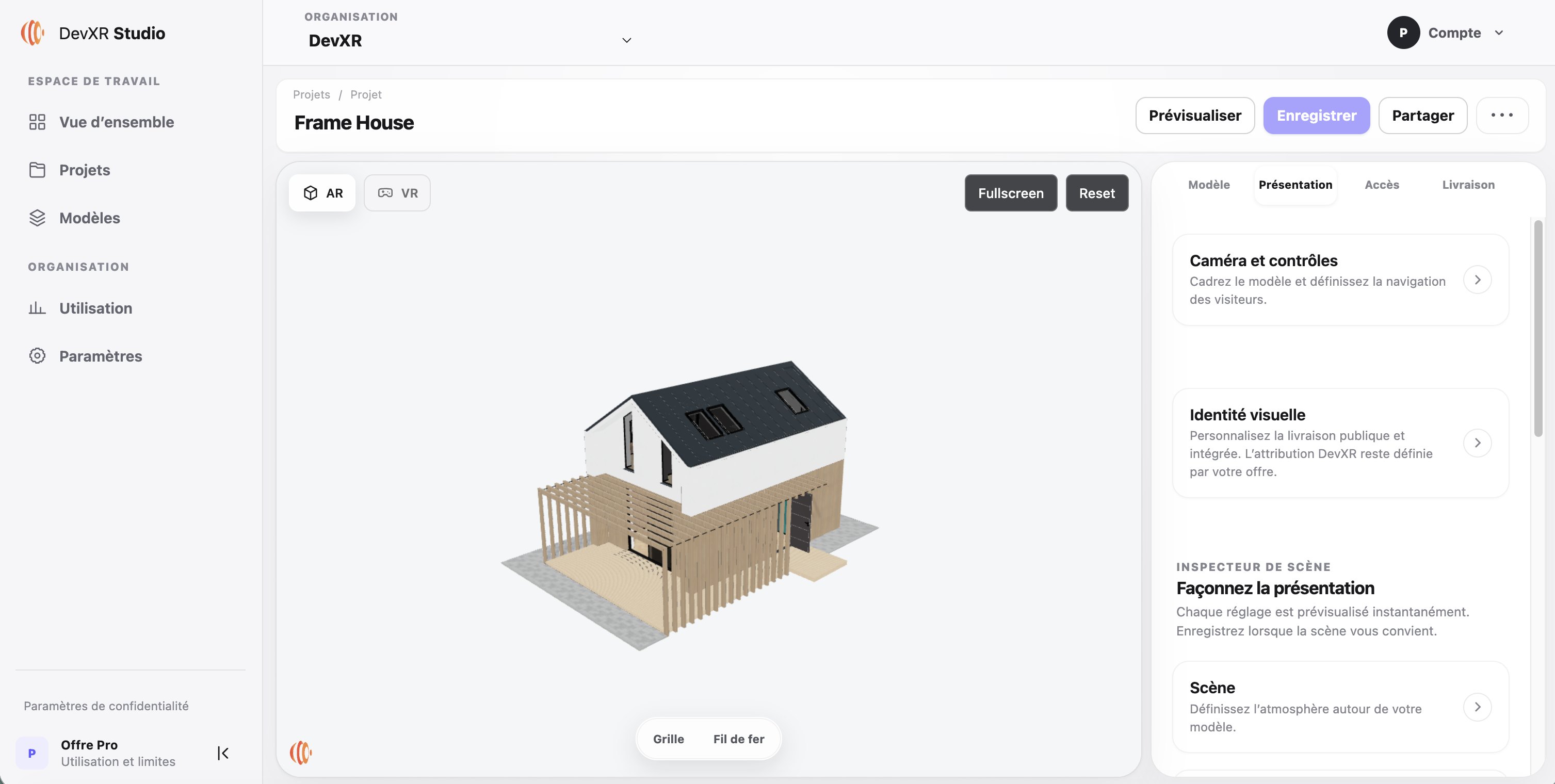
Prepare a presentation link for the person exploring the model and iframe code for the integrator. Working files remain a separate deliverable defined by your client agreement. Frame House illustrates the journey from a prepared scene to its public viewer in this example.
Make the delivery checkable
Before sending anything, review the presentation as someone who has never opened your authoring software. The model name, opening camera and explanation should establish what the recipient is looking at.
Separate saving from publishing
Save your presentation settings, then verify which version is published. A working preview does not establish what the recipient will see.
Open it independently
Test the link while signed out. Review the model, public points of interest and available actions, then repeat the check on a phone.
Write the integration note
Provide the generated iframe, intended title, suggested height for the target page and a direct fallback link. The integrator then checks the result on the actual website.
Assign ownership of updates
Agree who prepares the next version and who authorises publication. Check the retained link after each active-version change, then inform the client through your usual channel.
The explanation is part of the deliverable
Adapt this delivery note: “This URL opens the presentation selected for release. The opening view shows the whole model; the markers describe features to examine. The attached embed code is for your website team. Please confirm the target page so we can check the final integration.”
Include a written description and still images in the accompanying document. W3C WAI recommends explaining the information carried by complex visuals. Applying that attention to the handoff also helps people who cannot operate the interactive view.
Define what you deliver and what you maintain
Distinguish the hosted presentation, any agreed source files and maintenance of the client's website. An embed may become unavailable if a model is unpublished or its host page changes; document who will respond in that situation.
State the presented version, agreed hosting period and contact for change requests in your handoff note. Your client can see what they are receiving and how to update the presentation after delivery.
Rehearse your next client handoff
Pick a demonstration scene your agency can publish. Prepare its link and delivery note, then ask a colleague to open them without a spoken walkthrough. Their remaining questions will show you what to clarify before sending the work to a client.
Prepare my first handoff